Introduction
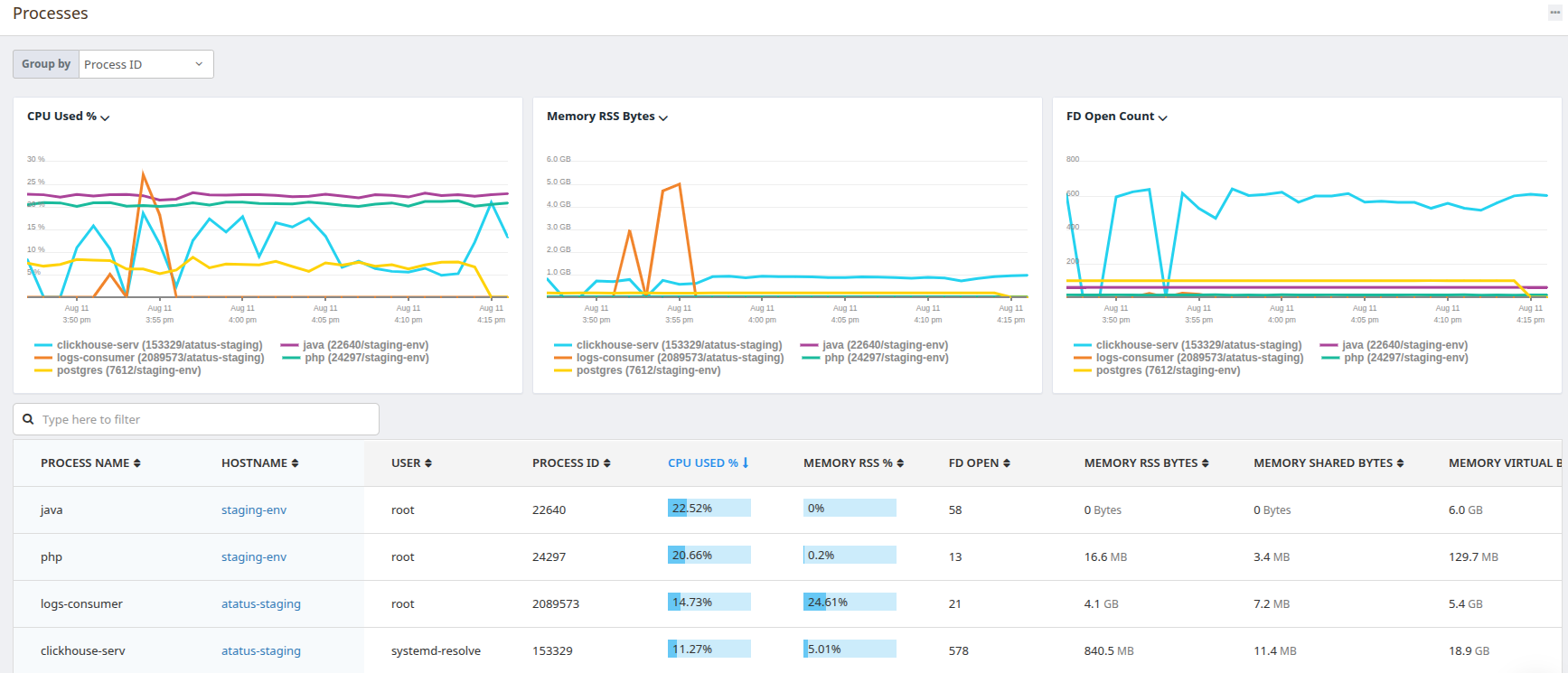
Atatus Processes provides real-time visibility into all processes running across your infrastructure. With Atatus Processes, you can:- View and search all running processes.
- Monitor CPU, memory, and I/O usage.
- Filter by host, container, service, or tags.
- Track apps with second-level metrics.
- Add process context to dashboards and alerts.
Setup & Configuration
The process plugin is included with the Atatus Infra agent by default, please follow the below section to enable.-
Copy the system example configuration file.
-
Update the file
/etc/atatus-infra-agent/conf.d/system.d/system.ymlwith the following configurations: -
After updating the configuration, restart the Atatus Agent:
Processes in Dashboards
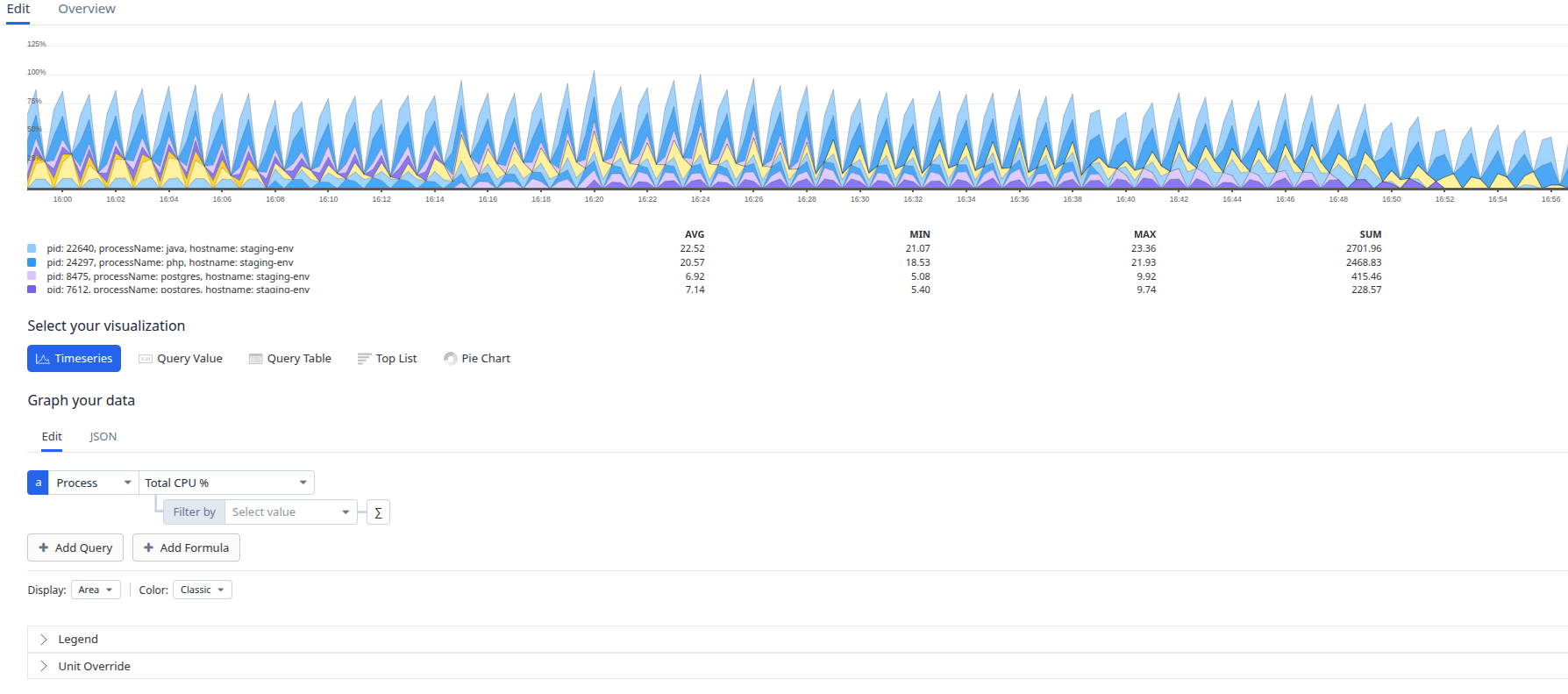
You can visualize process metrics in dashboards using the Timeseries widget.Steps:
- Select
Processesas the data source. - Use the search bar to filter by process name or keyword.
- Choose a process metric to display (e.g., Total CPU %, RSS memory).
- Apply tag-based filters in the filter by field for more precise results.
- Save the widget to your dashboard.