

Integrate Campfire with Atatus
Campfire is a simple web-based real-time group chat tool developed by the 37 Signals team.Setup
-
Go to project Settings » Team Notifications » Campfire in Atatus.
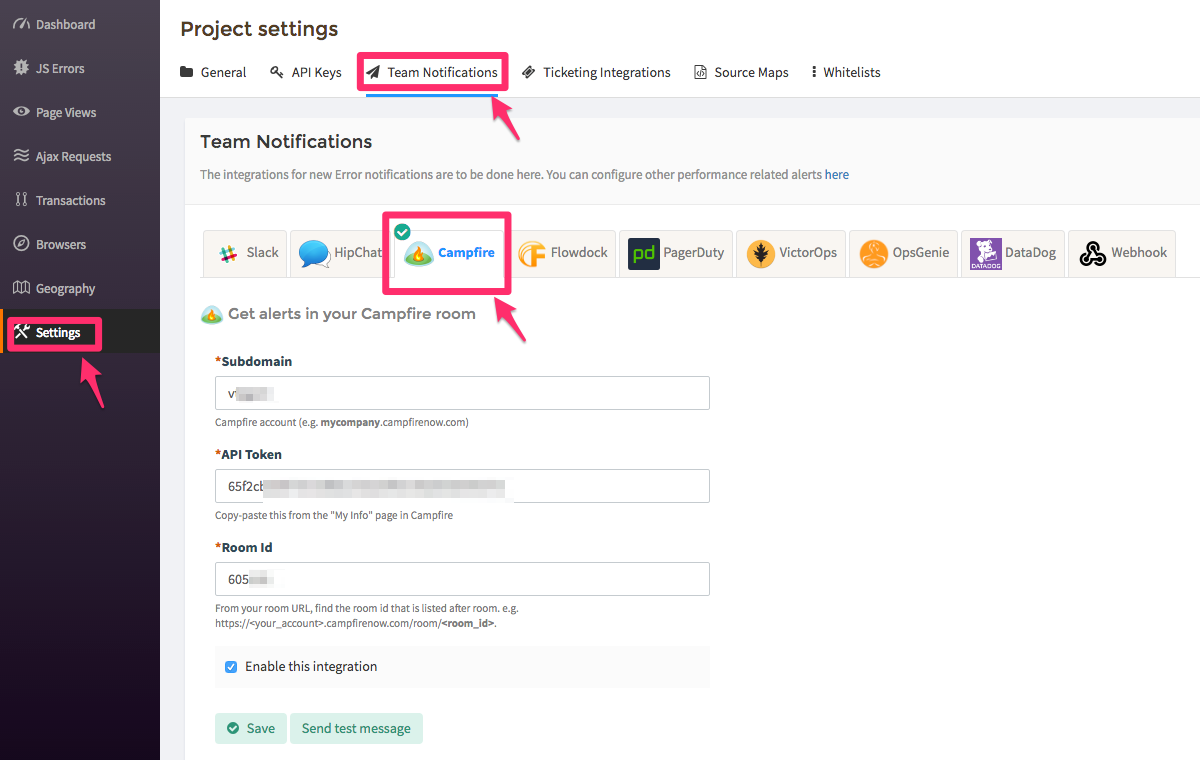
-
Enter the
Subdomainof your Campfire account into the sub domain text box. Example, your_account.campfirenow.com where, your_account is the sub domain. -
Copy and paste the
API Tokenfrom the My Info page in Campfire into the API Token text box. -
Enter the
Room IDinto the text box. From Campfire room URL, find the room ID that is listed after room. Example,https://your_account.campfirenow.com/room/<room_id>. The last six digits in the URL is the Room ID. - Click on the Save button when you’re done.
