
The Infrastructure Overview view maps the physical and cloud topology of your environment, starting from cloud providers down to individual hosts and hardware resources. It is populated by the Infrastructure agent and initializes with top-level cloud provider nodes.
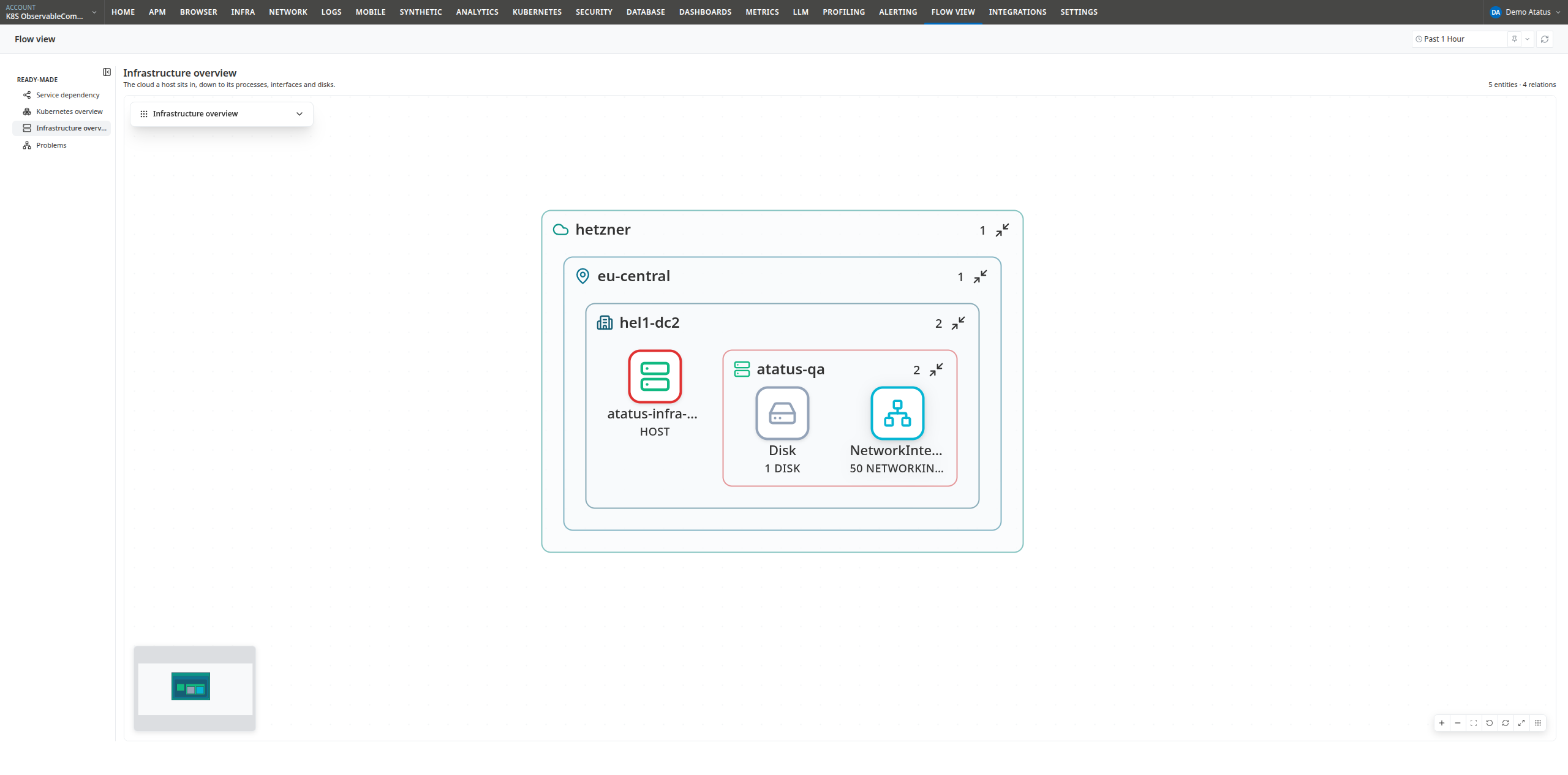
The location hierarchy
Double-click containers to navigate down the physical infrastructure hierarchy:
| Level | Description |
|---|---|
| Cloud provider | The cloud or hosting platform (e.g., aws, hetzner, gcp, azure) |
| Cloud region | The geographic region hosting resources (e.g., us-east-1, eu-central-1) |
| Availability zone | The specific availability zone or datacenter (e.g., us-east-1a, hel1-dc2) |
| Host | An individual physical server or virtual machine instance |
Each level is rendered as a nested container inside its parent, providing an intuitive view of your cloud topology.
Opening a host
Double-click a Host node to expand its underlying system components:
| Component | Description |
|---|---|
| ProcessGroup | Logical aggregations of related operating system processes; double-click a process group to inspect individual processes |
| Disk | Mounted filesystems and storage volumes attached to the host |
| NetworkInterface | Physical and virtual network adapters configured on the host |
Hardware components and process groups remain nested inside the host node to prevent visual clutter across large server environments.
Drill down in one click
The Drill down button beside the layout selector automatically expands the hierarchy through cloud providers, regions, and availability zones down to individual Hosts, leaving host components (processes, disks, and interfaces) collapsed.
Hold Ctrl (⌘ on macOS) while clicking the Drill down button to fully expand all hosts and their underlying components.
Cross-product correlation
Entities directly associated with infrastructure—such as container instances or APM service instances running on a host—are displayed with dashed borders and lines.
Because hosts discovered by the Infrastructure agent and hosts identified in APM traces resolve to the same entity key, Flow View automatically connects application workloads to the physical machines hosting them without manual configuration.
To explore full application transaction traces and service call paths, switch to the Service Dependency view.
Host groups
Hosts organized by custom tags, environments, or roles (Host Groups) exist outside the geographic cloud hierarchy. Use the sidebar search box (Ctrl/⌘+F) to locate and focus specific hosts or tagged host groups directly.
Layouts
Like the Kubernetes Overview view, this view supports Box and Radial layouts:
- Box (default): Renders nested rectangular containers matching the geographic and host hierarchy. Dragging is disabled to preserve containment layout.
- Radial: Renders cloud providers and regions as concentric hubs with child hosts and components arranged radially.
Next steps
- Navigating the graph: Expanding, drilling, searching, and shortcuts.
- Kubernetes Overview: Inspect Kubernetes clusters running on top of your hosts.
 +1-415-800-4104